What should visitors be able to do?
Write down the three things visitors most often need. They may want a new video, your service prices, the current menu or a way to contact you. Judge a tool by how clearly it supports those tasks, not by the length of its feature list.
This is a NciteMe-authored buying guide, not an independent ranking. It does not claim that competing products only offer buttons or lack particular features. Check current provider documentation for exact plans and limits.
Which kind of page do I need?
A focused link page is a good fit when visitors mostly need outbound destinations. A fuller public page helps when photographs, service information and inquiries belong together. A specialist store or scheduling product remains useful when checkout, inventory or complex appointment operations are central.
These approaches can work together. A public page can introduce your business and then send the visitor to the specialist system that completes the transaction.
Questions worth asking before you choose
Can visitors understand your offer before leaving the page? Can you change it comfortably on a phone? Does the plan include the specific blocks you need? Can you share it through your normal channels? What exactly does its reporting measure?
Also check accessibility, mobile readability, branding rules, account limits and the export or migration work you would need later. Prices and product details change, so confirm them at the provider before purchasing.
See what a fuller page can look like.
Explore real NciteMe layouts using fictional business examples.
Explore examplesWhen is NciteMe a suitable option?
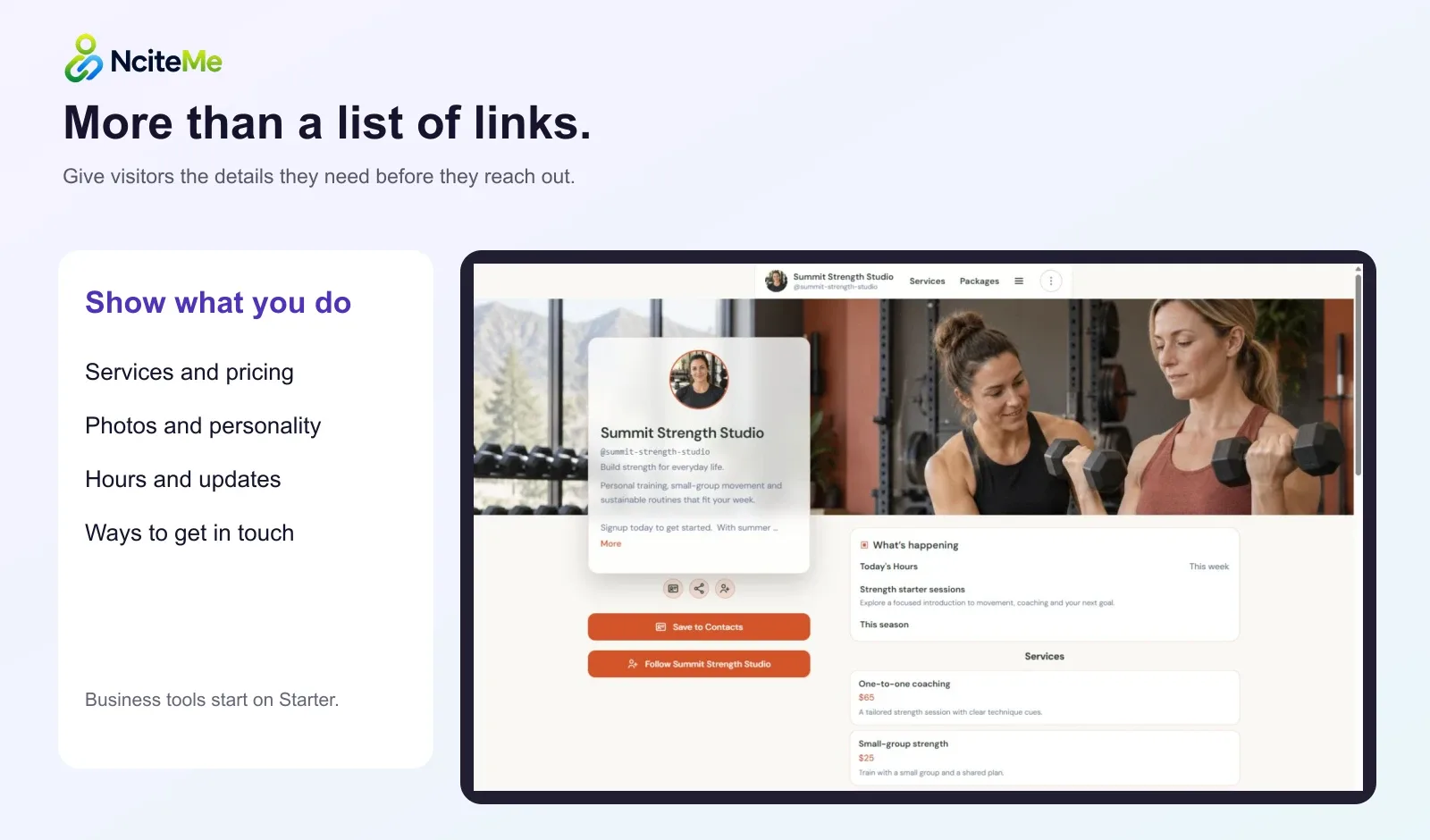
NciteMe combines a public profile with content blocks, persona pages, managed links, QR sharing and first-party activity reporting. A service business can put its description, packages, hours and inquiry route together; a creator can present selected work and use a paid kit workspace for a professional introduction.
Free supports a simple bio. Starter adds business content such as services, menus, hours, events and lead forms. Pro adds advanced proof, collaboration requests and kits. Business adds Team. Exact limits and prices belong in the shared plan catalog, not a hard-coded comparison graphic.
Try your real content before you move
Build a small version using your own introduction and most important links. Check it on desktop and mobile. Follow the inquiry or outbound action yourself, and decide whether the layout answers the questions your audience brings.
Compare the effort of keeping that page current as well as the first impression. A page that looks good once but is difficult to maintain may not fit your routine.
Move carefully and keep links working
Keep a record of your old destinations. Create the new page, check every important link and update the places you control. If a printed QR points at an old service, whether it can be redirected depends on that existing QR and provider—do not assume a new tool can change it.
Use separate managed links for future campaigns when you need more control over destinations and click reporting. Keep the old page available during the transition where possible.
How can I run a useful trial with my own content?
Build one real visitor task before evaluating the design. Add a few examples of your work, your actual introduction and the action someone should take next. If your main need is a menu, test a menu. If it is a service inquiry, test the form and confirm the submission arrives where you expect it.
Open the result on a phone and on a desktop. Check how much of the header remains visible, whether labels are readable and whether the visitor can understand the offer without a separate explanation from you. Compare the same task in each tool. A beautiful demo of a task you do not need says little about whether the product is right for your workflow.
What should I check before moving an existing bio link?
List the destinations you already share and decide which ones still matter. Keep the existing page available while you build and test the replacement. Copying every old link can preserve clutter, so start with the links and context that help the current audience. Test each outbound destination before changing the public bio.
Review recurring costs, plan limits, export options and the steps needed to keep the page current. Check the current plan page rather than relying on an old comparison article for another company's prices. After moving, test the saved social link itself and any printed QR codes you intend to keep. If an old code cannot be redirected, do not assume that changing the bio will update the printed route as well.
Common questions
Is NciteMe always the better choice?
No. Choose based on your audience, content and operational needs. A simpler page or specialist tool may be a better fit.
Can NciteMe replace my checkout or booking provider?
Not in every case. Link to the existing provider where it handles the transaction or specialist workflow.
Will moving preserve all my old analytics?
Do not assume that. Retain or export data your old provider makes available and treat the new reporting as a separate history unless a supported migration exists.