The bio is the starting point. The page is the destination.
A social bio introduces an account. A link in that bio gives visitors somewhere to go next. When a post says “link in bio,” it is directing people to the profile rather than asking them to type a long address from the caption.
The link does not have to lead to a special kind of tool. It can open an existing website or a focused page designed around the things your audience needs most.
What should visitors find after they tap?
Start with the reason they came. A listener may want the latest song. A guest may want the menu. A potential client may want services, prices and a way to ask a question. Put that action near the top and keep supporting information easy to scan.
Use descriptive labels such as “View the menu” or “Ask about a session.” A long list of similarly named links makes the visitor do the organizing work.
A link list or a fuller page?
A short link list works well when a few destinations are all you need. A richer page is useful when people need context before leaving: photographs, services, prices, hours, FAQs or a contact form. Choose the amount of content that helps your visitor decide.
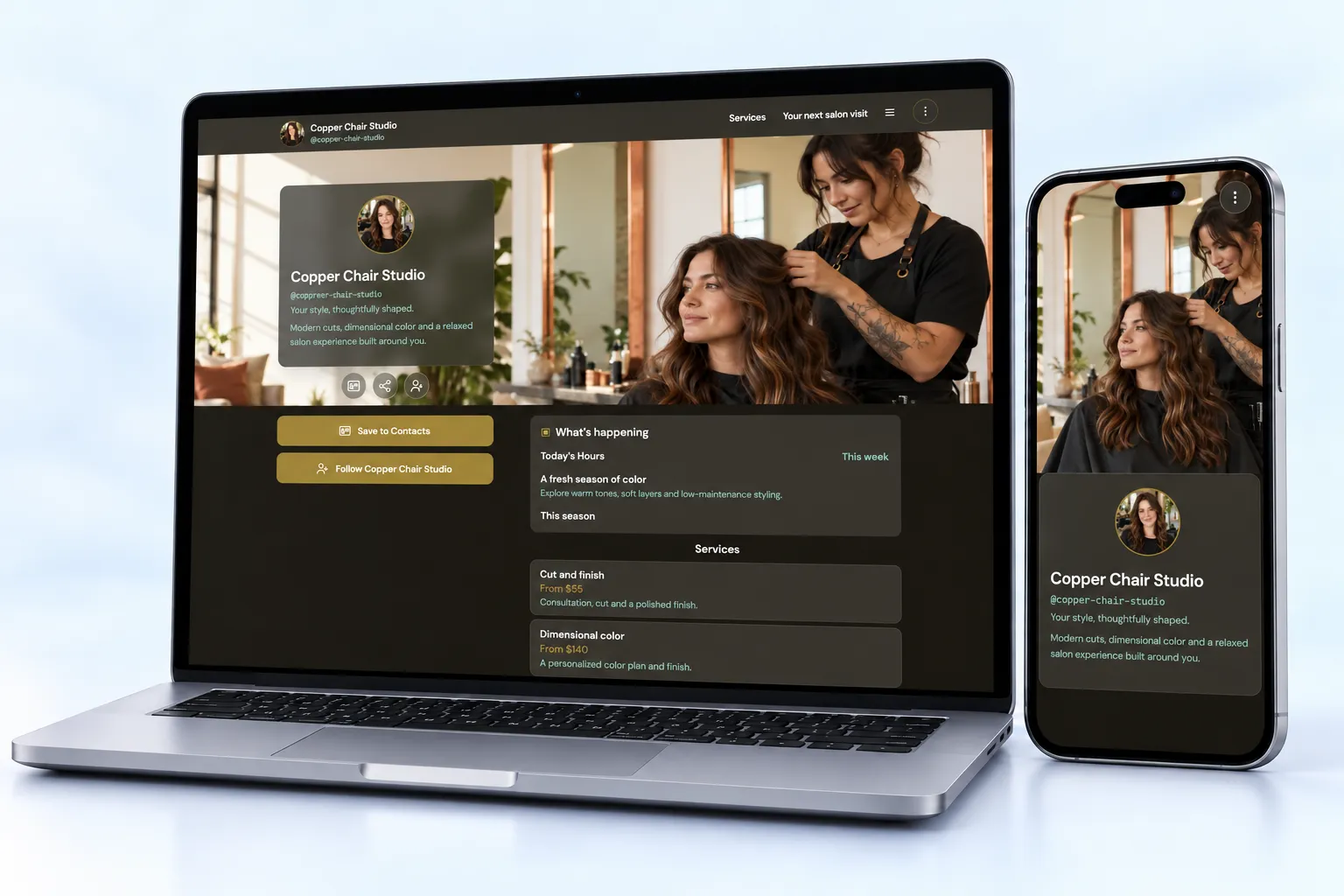
The real salon example shown here demonstrates how one NciteMe page adapts to desktop and mobile. It is a fictional business example, not a customer testimonial.
See what a fuller page can look like.
Explore real NciteMe layouts using fictional business examples.
Explore examplesBuild a useful first version
Choose one audience and one primary action. Add a concise introduction, a relevant photo and your most useful links. Check the page on your phone before sharing it. Add more sections only when they answer a real visitor question.
With NciteMe, a simple bio can start on Free. Business blocks such as services, menus, hours and lead forms start on Starter. Pro adds the kit workspace and advanced proof tools; Business adds Team. See the current plan details before choosing.
Share the destination beyond your bio
The same public page can also be linked from an email signature or opened through a QR code on print. Keep the destination useful wherever the visit begins. If you need to compare campaigns, use separately managed links rather than assuming every direct visit reveals its source.
Keep the page current
Review your main action when you announce a new offer, release or event. Remove expired information and check outbound destinations. Updating the page behind a stable URL is often simpler than changing the link in every place you have shared it.
What does a complete visitor journey look like?
A complete journey connects the instruction in a post to an action on the destination. Imagine a portrait photographer posting a family session photograph. The caption directs readers to the bio. The bio link opens a page with relevant photographs, session information and a clearly labeled inquiry form. A visitor can decide whether the service is suitable without searching several unrelated sites.
The same pattern works for other tasks. A food truck post can lead to a menu and its current service details. A musician's announcement can lead to the release mentioned in the post. The phrase “link in bio” gives directions; the destination still has to deliver what those directions promised. If the destination changes, consider whether readers of older posts can still find the item they expected.
What should I check before sharing a bio link?
Open the destination as a visitor who is not signed in. Check the name, introduction, first action and any external links. Use a phone as well as a desktop if you have access to both. A header image can be attractive while a key button remains difficult to see below it.
Check any time-sensitive facts: menu availability, hours, appointment instructions and event dates. Remove placeholder content that could be mistaken for a real offer. If you use a fictional example to explore a layout, keep that distinction visible. Finally, choose how you will evaluate the page. Recorded clicks and inquiries can answer different questions, so start with the measure that matches the reason you shared the link.
Common questions
Is a link-in-bio page the same as my social profile?
No. Your social profile contains the link; the destination opens after a visitor taps it.
Do I need coding skills?
NciteMe offers a guided creation flow and a live editor. Start with the content you want to share and review the resulting page.
Can I use it for a business?
Yes. Match the page to the business and choose a plan that includes the blocks you need.