Free
Music
Feature supported music content.
For Musicians
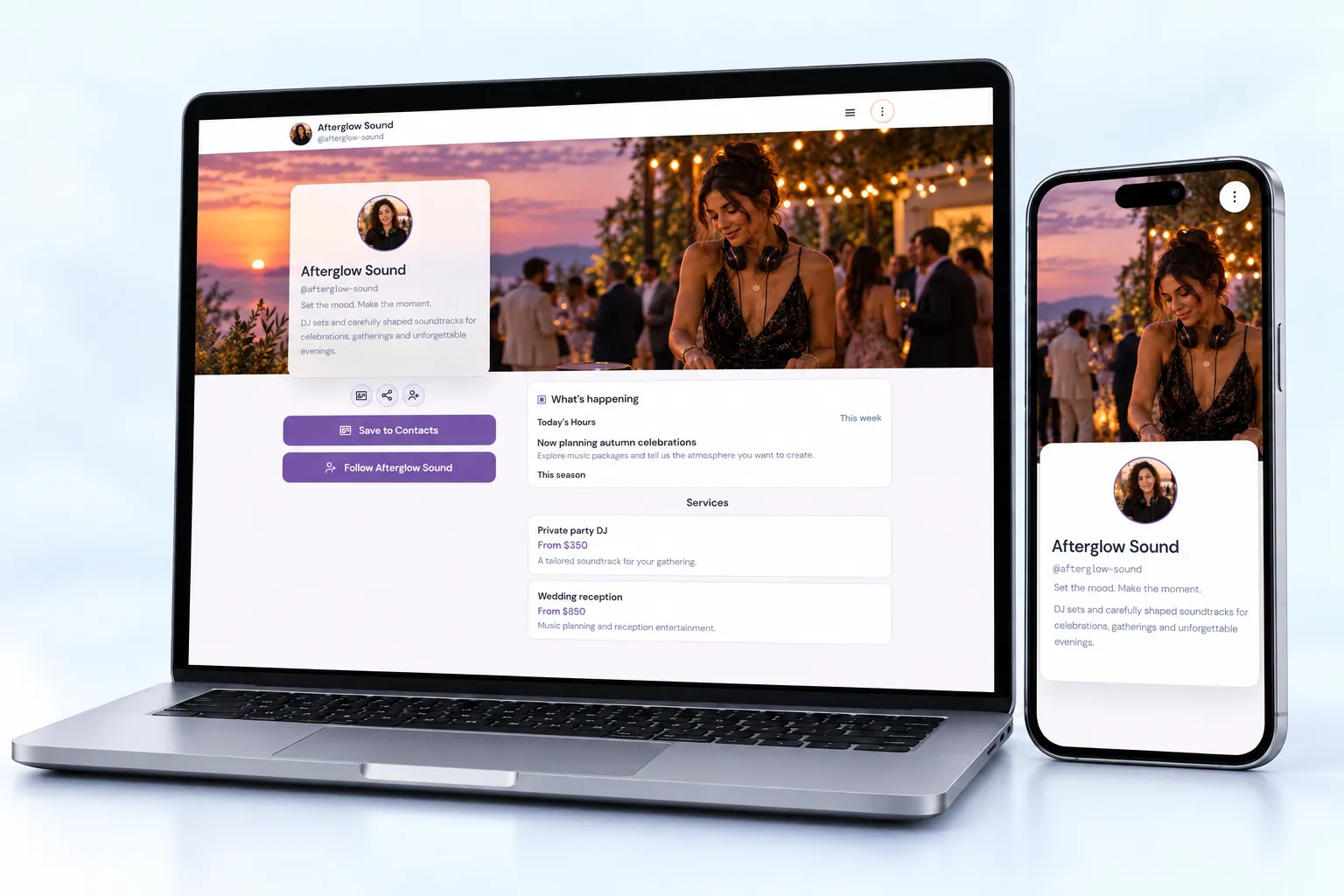
A musician link-in-bio page is a destination for music, videos, upcoming appearances and booking inquiries. Bring your latest release, upcoming shows and booking contact together so fans and venues can find the next step that matters to them.
Start with a simple bio. Paid blocks require the matching plan.

Built around your day
Feature a supported music or video embed, then place your streaming destinations beside it. Playback depends on the external provider and visitor environment.
List upcoming dates with venue details and an outbound ticket link. Keep sold-out or changed dates current without replacing the URL on your posters.
Add an inquiry form, a selected photo gallery and a downloadable press asset. Use the Pro kit workspace when you need a dedicated professional kit.
Free
Feature supported music content.
Free
Show a performance or release video.
Starter
List shows and ticket destinations.
Starter
Offer a mailing-list destination.
Starter
Share an approved press asset.
Starter
Collect venue and booking inquiries.
Share it everywhere
Use one page in your artist bio and a QR on posters or merch-table cards. Separate managed links can help compare release campaigns; a click is not proof of a stream or ticket purchase.
01 · Create
Use the guided flow or browse examples for inspiration.
02 · Personalize
Add your photos, useful details and a clear visitor action.
03 · Share
Review desktop and mobile, choose the right plan and share your public page.
Free covers a simple artist bio with music, video and links. Starter adds events, inquiries and downloads. Pro adds professional kit tools.
Compare current plansUse links to your ticketing and music providers. NciteMe link activity should not be described as confirmed sales or streams.
The Pro and Business kit workspace supports professional kit pages. Use accurate, permissioned work samples and honestly labeled audience information.
Yes. Free is suitable for a simple bio page. Business blocks such as services, menus, hours, events and lead forms start on Starter. Check the current pricing page before publishing paid content.
Use the live editor to change your content and appearance. Review the page on desktop and mobile, then share the same public URL as your content evolves.